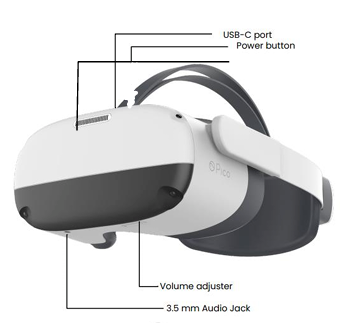
Show the patient how to short press the POWER button to enter sleep or wake up the headset
Show the patient the VOLUME controls located under the headset, mention the in-built speakers.
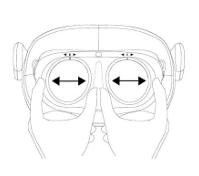
Show the patient how to adjust the lens inside if the screen is out of focus, by moving the lenses closer or further apart.
Show them the Controllers, make sure the the left and right are in the correct hands.
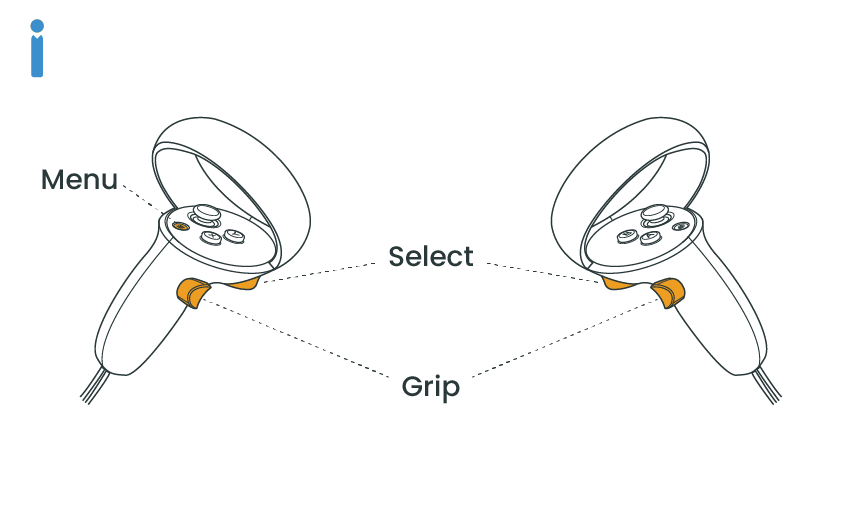
Show them the SELECT trigger button and tell them this is like a mouse button and you will use it to select and click on things.
Optional – Show them the GRIP button. This is used to pick up objects in some activities such as games.
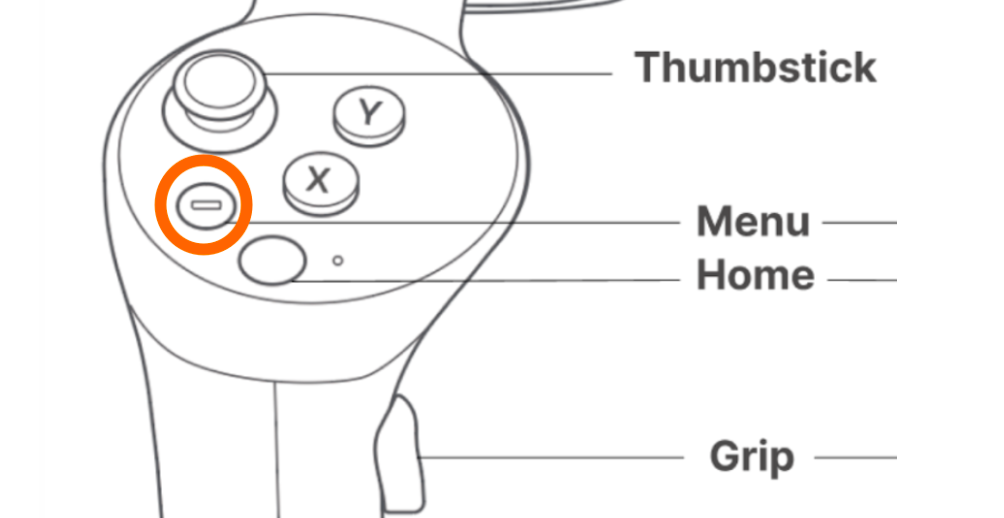
Show the patient the MENU button on the controller. This is used to hide or show the menu. The menu can be used to select what activities to do. NOTE when looking at the controller in VR, the menu button will be highlighted in orange.
Show them the HOME button on the controller (the button with the Pico logo).
– A long press of the Home button will recenter the menu.
– A short press of the Home button will exit the Shine app and return to the Shine Launch screen.