- At the beginning of each session, you will be asked to set or confirm the boundary. The boundary is the safe physical area to use the headset. If a user moves the headset out of the safe area it will show you the actual room for safety.
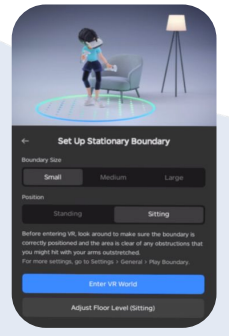
- Select Stationary Boundary or Reset Stationary Boundary and select size Large & position Sitting.
- Then select Enter VR World.
Once you have set the boundary once, the headset will remember the location if you use it again in the same location. You will then only need to select Use Current Boundary next time you use the heads