Select the WIFI symbol at the top of the Shine Home screen.


You will be taken to the Headset Settings space.
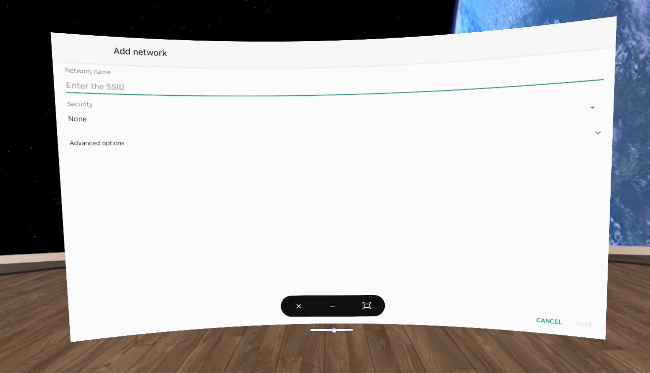
Select Add Network, choose your network, and enter the network username and password.
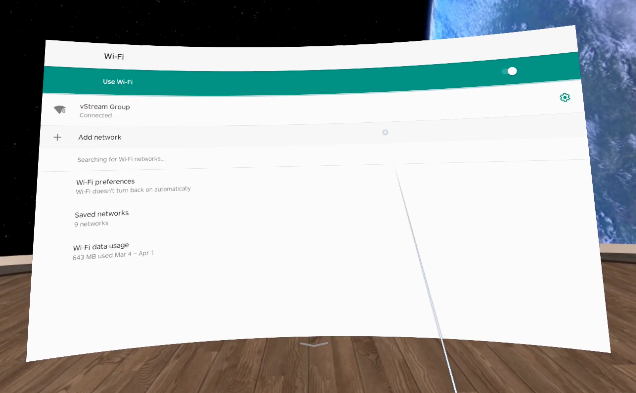
- Once connected, select the arrow at the centre bottom of the WIFI window to close it.
A black bar will appear. Select X to close the headset home space and it will automatically return to the Shine VR sign in.