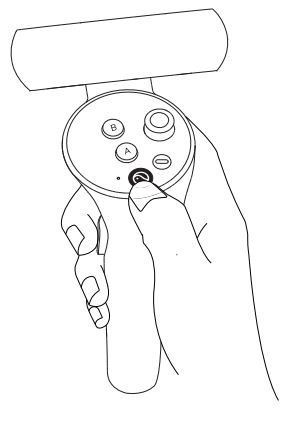
To access the Shine launcher screen, short press the Pico button,. Then select Exit to Continue.
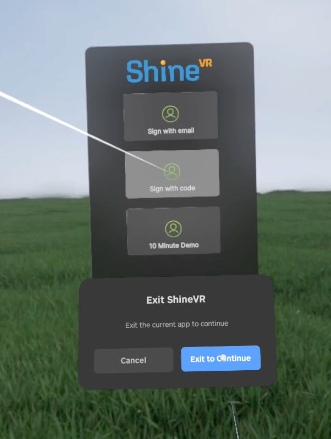
You will be taken to the Shine Home Screen. Select the WIFI symbol at the top of the Shine Home screen.

Select ‘Add Network’, choose your network, and enter the network username and password. Once you have connected to WIFI, select the arrow at the centre bottom of the window to close it.